Live customer-satisfaction collection across TMS retail branches
Timeline~4 weeks build
My roleEnd-to-end - concept, build, deploy, ongoing iteration
StatusIn use - multiple TMS branches
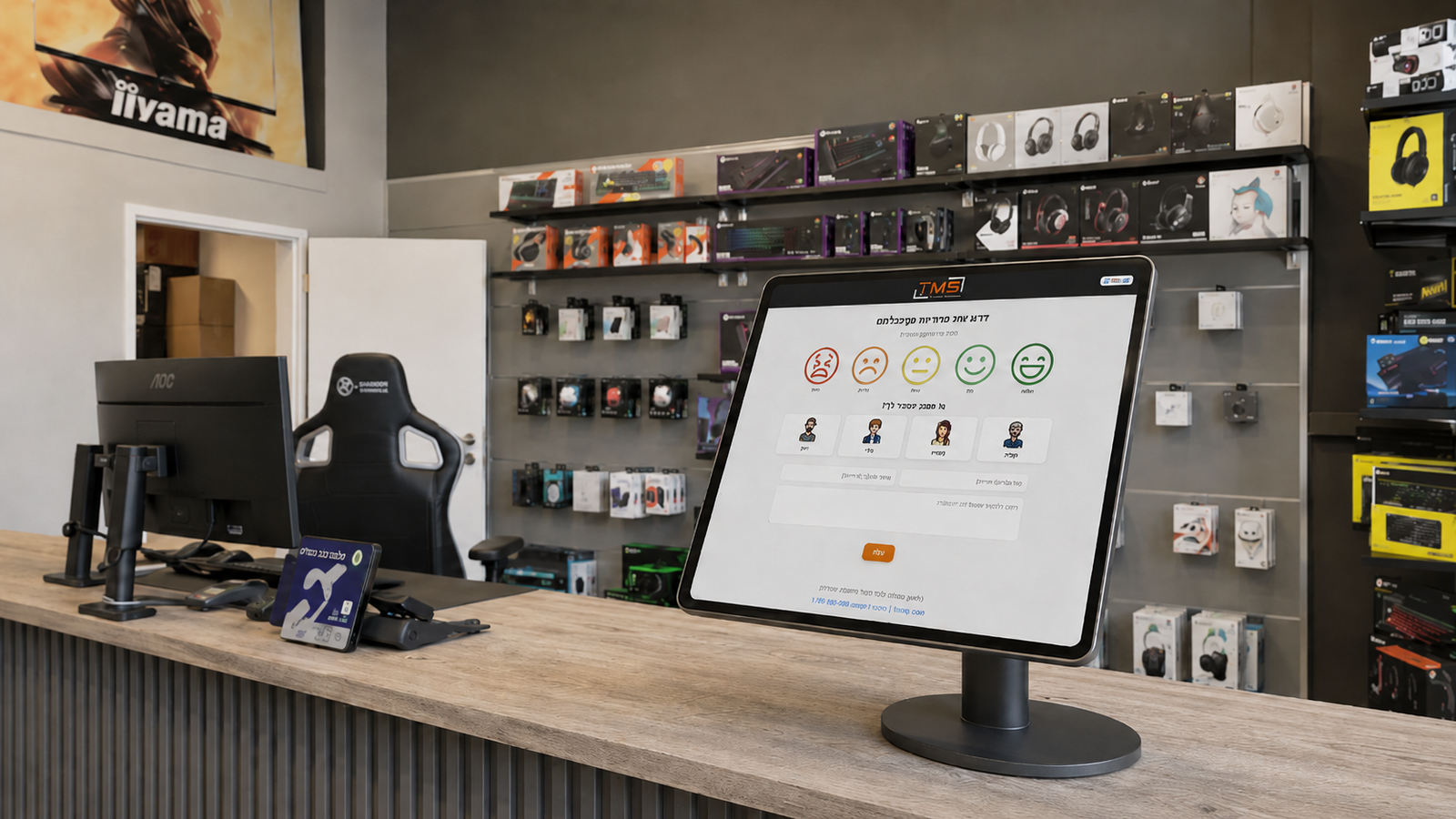
Feedback system live in a TMS branch: touchscreen monitor at the service counter.
TL;DR
TMS retail branches needed a frictionless way to collect in-store customer feedback. I built and shipped a web app that customers reach at the point of service, with a Google Forms / Sheets backend for zero-cost reliability.
Context
TMS operates retail branches where service quality directly affects retention. Standard feedback tools (paper cards, post-visit emails) had near-zero response rates. The need was real-time, in-store, friction-free.
The problem
Paper feedback gets lost and is processed late (or never).
Email surveys arrive after the experience - by then, the customer's mood is different and recall is fuzzy.
Branch managers had no live dashboard. They learned about service issues from anecdotes, not data.
The need was real-time, in-store, friction-free.
The visibility gap
Stakeholders & constraints
Stakeholders: TMS branch managers · TMS leadership · Customers (the actual users)
Key constraints: Must work on any phone, any browser, no app install. Sub-30-second completion. Zero-cost backend. Without technical help.
Approach & trade-offs
Decision
Choice
Trade-off
Backend
Google Forms + Sheets (not Firebase)
Less auth control, but managers get a familiar filter/sort interface immediately
UX
Single-screen form (not multi-step wizard)
Slightly less granular data, but cuts friction to <30 seconds
Entry point
In-store touchscreen at the service counter
Customers interact at the moment of service, before they leave the branch
The process
1. Requirements gathering with branch managers
Identified what data they actually needed (not everything - just satisfaction signal and free-text), and what "actionable" means for a branch manager's day.
2. Form design & friction testing
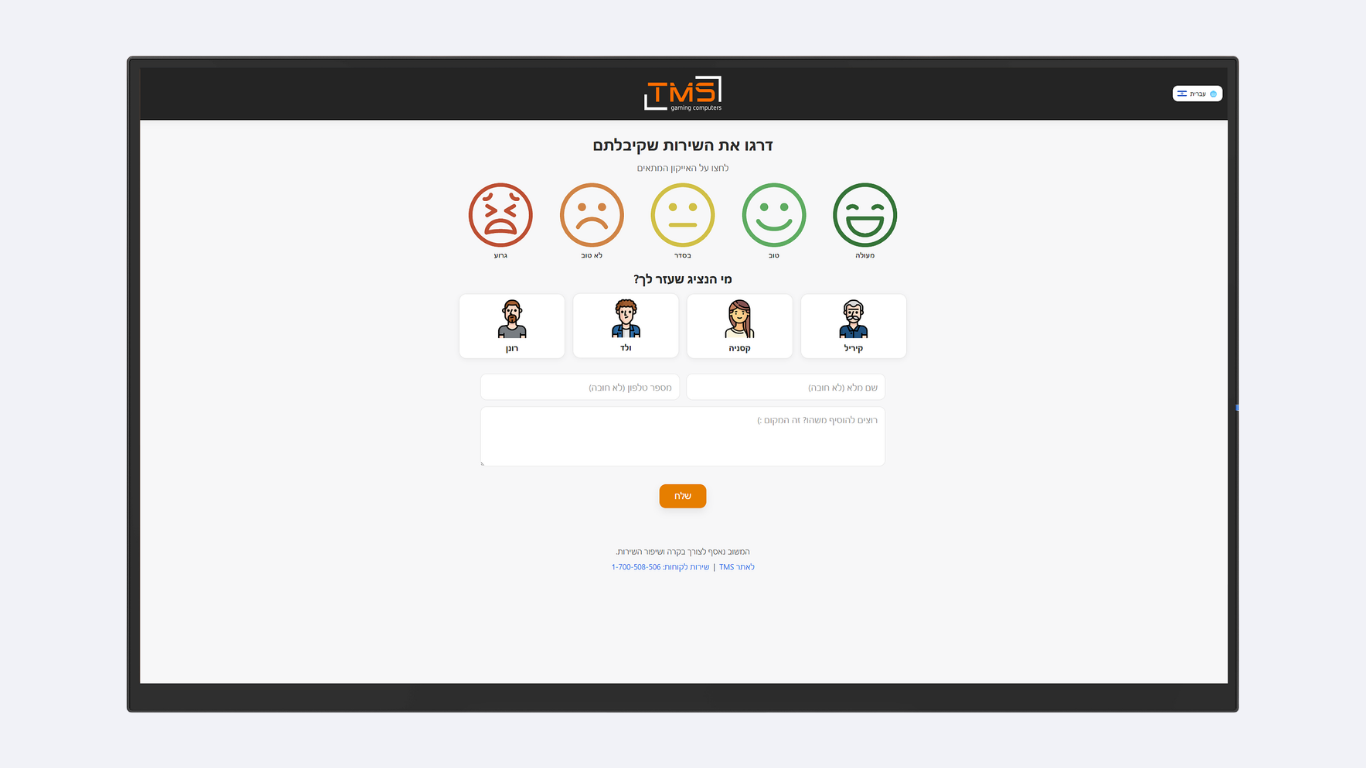
Designed the single-screen form. Tested completion time with real users - anything over 30 seconds was abandoned. Iterated until median was ~20 seconds.
3. Backend integration
Connected the form to Google Sheets via Apps Script. Built per-branch tagging via URL parameters so all branches feed into one sheet with filtering.
4. Branch deployment kit
Created a one-page setup guide so any branch could go live independently, without my involvement each time.
5. Multi-branch rollout
Deployed across multiple TMS branches. Monitored response rates and iterated on placement (counter vs. exit) based on data.
What I shipped
Customer feedback form: single-screen, touch-optimized, branded to TMS.
Mobile-optimized feedback form, branded to TMS
Per-branch URL routing with auto-tagging in Google Sheets
Auto-sync to a Google Sheet that doubles as the branch-level dashboard
Self-service deployment guide for branch staff
What I'd do differently
What I did
Retrofitted branch tagging via URL parameter after initial launch. No alert thresholds - managers check the sheet manually.
What I'd change
Add branch tagging from day one (simpler deployment). Build alert thresholds - email/Slack when a string of negative responses arrives.
Skills demonstrated
Production deploymentLightweight backend choiceMulti-tenant deploymentMobile-first UXStakeholder enablement